
How to turn Ai Milo on:
Update (15/07/25):
- We are no-longer using feature flags to control AI states.
- There is a new
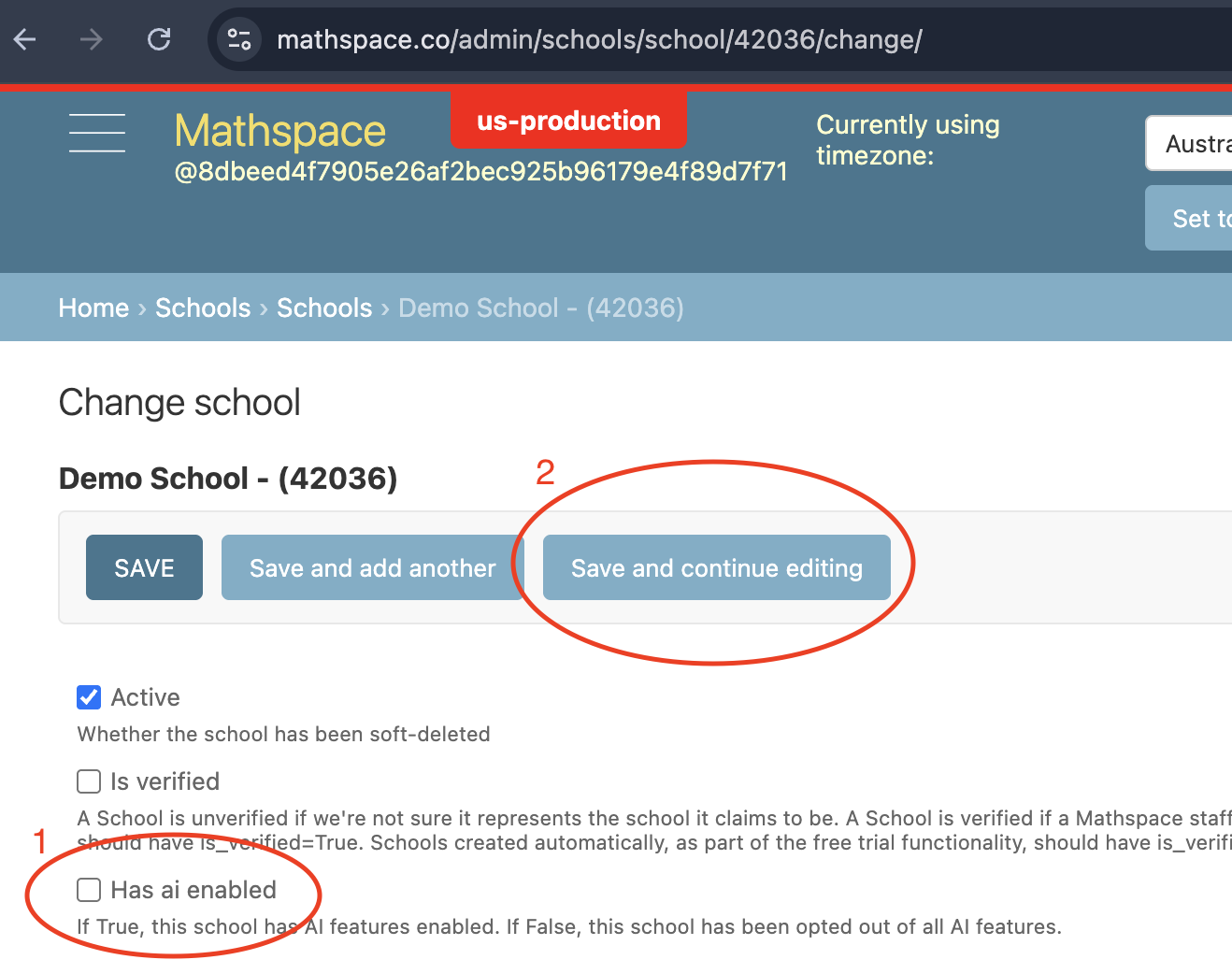
Has ai enabledcheckbox at the top of the School admin. This replaces theenableAiOpenPromptfeature flag and you can think of it like a kill-switch.- If this checkbox is off, then all users in the school will lose access to AI.
- If this checkbox is on, then all users in the school will default to the SubscriptionAi a.k.a 5 free problems p/m
- If this checkbox is on, and the school has an active
Ai TutorAdd On Subscription or Trial Add On Subscription, then all users in the school will get Premium Milo
- And same as previous, if a student has an active User Add On Subscription, they will also get Premium Milo
- I have also updated the instructions on how to set up the states below
- Note: Do not use the
Limited Ai TutorAdd On, that one does nothing and needs to be removed
Paid schools
- ON (AU):
- Add the Ai Add-on package with expiry date matching that of the main package.
- ON (US)
- Add the Ai Add-on package with expiry date matching that of the main package.
- Tick the
Has ai enabledcheckbox - Click
Save and continue editing - Double-check that the
Has ai enabledcheckbox is ticked
Opt out schools
- OFF:
- Go to the School that you want to opt out in the Django admin
- Untick the
Has ai enabledcheckbox - Click
Save and continue editing - Double-check that the
Has ai enabledcheckbox is unticked - Add the school to this list to track.
Trialing schools
- ON:
- Make sure the
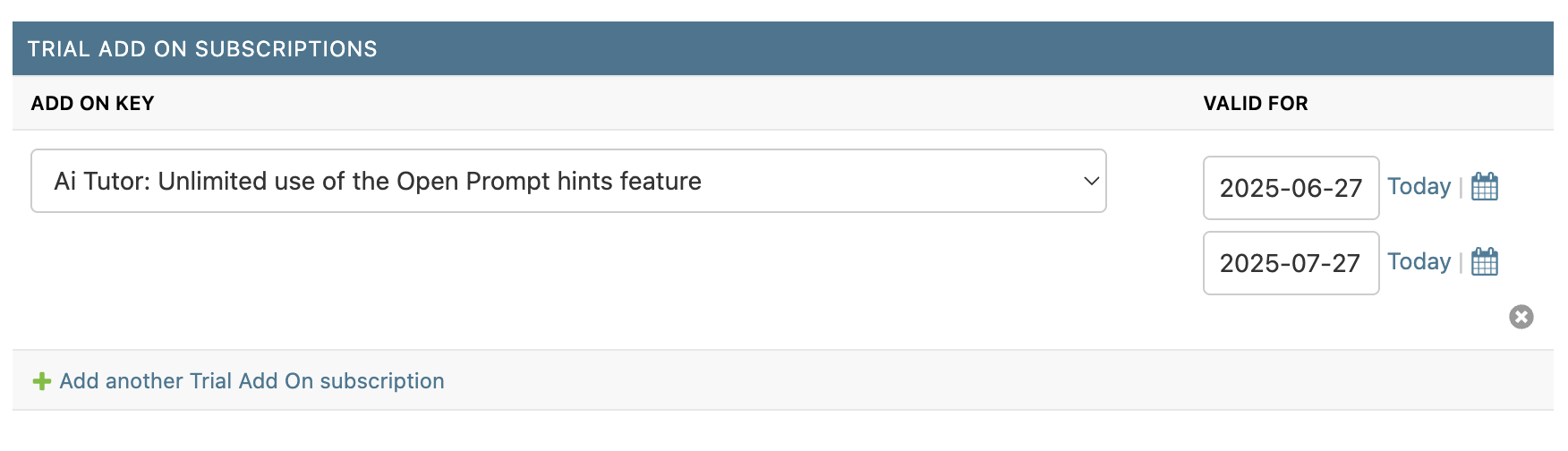
Has ai enabledcheckbox is ticked - Add "Ai Tutor" Trial Add On subscription with the start and end dates of the trial (don't forget to save your changes), e.g.
- Make sure the
- OFF (AU):
- (Sales want trialing schools to fall back to the SubscriptionAi)
- Don't untick
Has ai enabled, they will fallback to SubscriptionAi automatically
- OFF (US):
- (We want schools to fall back to the US defaults, which is Ai off)
- Follow Opt-out instructions: Untick the
Has ai enabledcheckbox and save
Freemium schools on the 1 month trial
- ON:
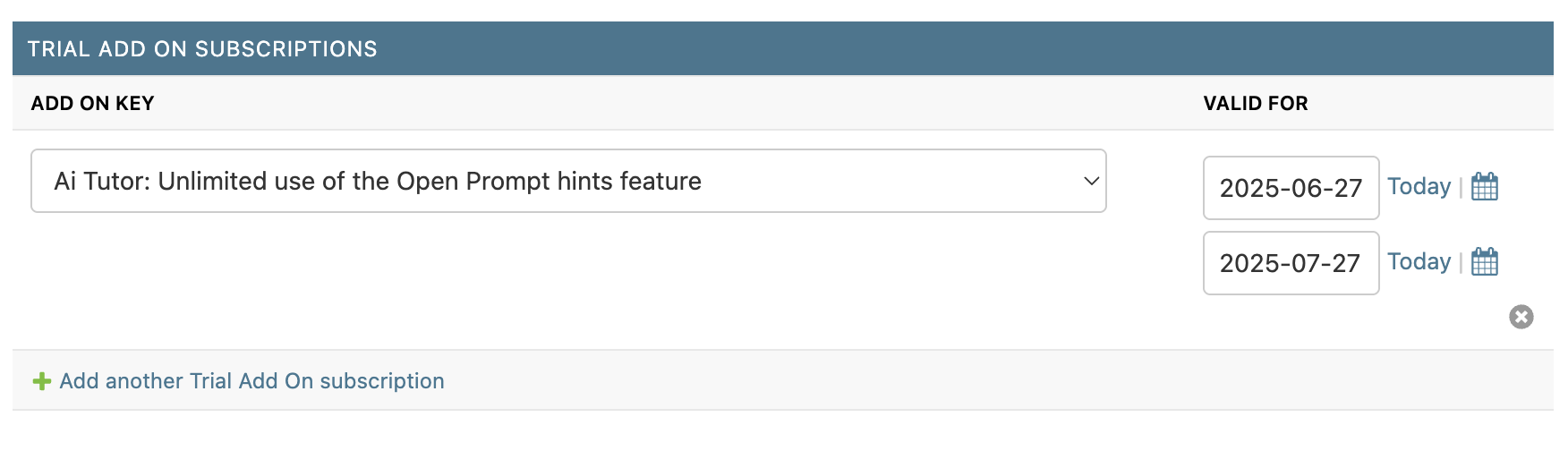
- Add "Ai Tutor" Trial Add On subscription with the start and end dates of the trial (don't forget to save your changes), e.g.
- Add "Ai Tutor" Trial Add On subscription with the start and end dates of the trial (don't forget to save your changes), e.g.
- OFF (AU):
- (Sales want trialing schools to fall back to the SubscriptionAi)
- Don't untick
Has ai enabled, they will fallback to SubscriptionAi automatically
- OFF (US):
- (We want schools to fall back to the US defaults, which is Ai off)
- Follow Opt-out instructions: Untick the
Has ai enabledcheckbox and save